
Extract data from any website
and simulate user behavior with AI prompts.
Spidra lets you crawl entire websites, scrape with human actions, export web data from a no-code interface powered by large language models.
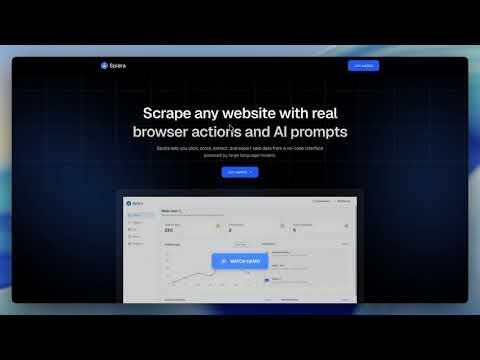
Spidra handles the heavy lifting
Automate your scraping workflow with AI that browses like a human, extract data, send it to your preferred destination, and stay undetected from anti-bot systems.
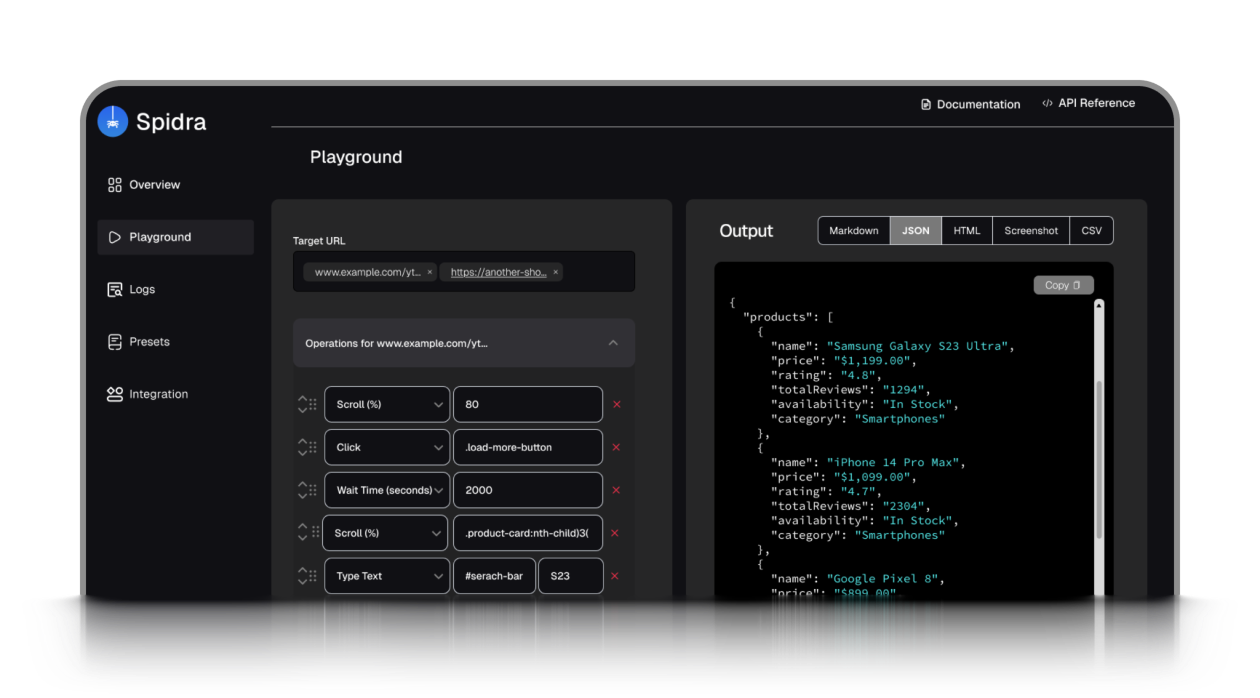
AI-powered data extraction
Use prompts to extract clean, structured data. No selectors needed.
Real browser automation
Click, scroll, type, and wait — just like a real user.
Built-in integrations
Send results to Slack, Discord, Telegram, and more.

Captcha solver included
Bypass ReCAPTCHA, hCaptcha, and Turnstile automatically.
Use cases
Spidra streamlines complex web tasks making it easy to integrate data workflows into your business operations.
Monitor product prices automatically
Track price changes on Amazon, Walmart, or local e-commerce stores in real-time.
Crawl entire product catalogs
Automatically discover and extract data from all product pages in e-commerce sites
Scrape Job listings or freelance gigs
Extract job data from platforms like Indeed, or Upwork using AI prompts and human-like clicks.
Extract blog content at scale
Crawl through blog archives, categories, and tags to collect articles and metadata
Collect data from search results
Scrape search results for SEO, lead gen, or content research and interact like a real user to avoid blocks.
Audit website content
Crawl site pages for SEO analysis, broken link detection, or content inventory
Export data from forums & communities
Collect posts, comments, or threads from Reddit, Discord, or niche forums for sentiment analysis or market research.
Auto-fill forms & scrape responses
Fill out multi-step forms (e.g., signup, quote calculators), then extract confirmation messages or resulting data.
Scrape dynamic JavaScript sites
Handle SPAs and JS-heavy sites like Airbnb pages, where traditional scrapers fail.
For builders who want full control
Integrate powerful web scraping into your applications with our REST API. Simple HTTP requests from any programming language or tool.
curl -X POST https://api.spidra.io/api/scrape \
  -H "Authorization: Bearer YOUR_API_KEY" \
  -H "Content-Type: application/json" \
  -d '{
    "urls": [{
      "url": "https://ng.indeed.com/",
      "actions": [
        {"type": "type", "selector": "//input[@id='text-input-what']", "value": "python developer"},
        {"type": "click", "selector": "//button[contains(., 'Find jobs')]"},
        {"type": "wait", "value": 3000}
      ]
    }],
    "prompt": "Extract a list of job titles and company names in JSON format like this: [{ title: '', company: ''}]",
    "output": "json"
  }'

# Response: {"status": "queued", "jobId": "abc123", "message": "Scrape job has been queued..."}
Our pricing
Choose a price that fits your scraping needs. Start free, upgrade anytime.
No hidden fees. No surprises
A great way to explore Spidra for light tasks and testing.
Get Started
- 300 credits
- Auto CAPTCHA solving
- Basic stealth mode
- Scrape only 1 URL at a time
- Up to 5 actions per URL
- Website crawling
- AI-powered data extraction
- API access
- AI prompt extraction
- 2 integrations
Ideal for individuals and small projects starting with web scraping.
Get Started
- 5,000 credits
- Auto CAPTCHA solving
- Basic stealth mode
- Scrape up to 3 URLs at a time
- Up to 10 actions per URL
- Website crawling
- AI-powered data extraction
- API access
- AI prompt extraction
- 10 integrations
Best for developers and small teams scaling up their scraping tasks.
Get Started
- 25,000 credits
- Auto CAPTCHA solving
- Advanced stealth mode
- Scrape up to 3 URLs at a time
- Up to 15 actions per URL
- Website crawling
- AI-powered data extraction
- API access
- AI prompt extraction
- 30 integrations
- Email support
Optimized for teams and power users with high-volume scraping needs.
Get Started
- 125,000 credits
- Auto CAPTCHA solving
- Advanced stealth mode
- Scrape up to 3 URLs at a time
- Up to 20 actions per URL
- Website crawling
- AI-powered data extraction
- API access
- AI prompt extraction
- 100 integrations
- Custom feature development
- Priority support
Frequently asked questions
Stay ahead with data-powered insights
Join professionals getting Spidra updates, how-tos, and exclusive features. No fluff, just the good stuff.